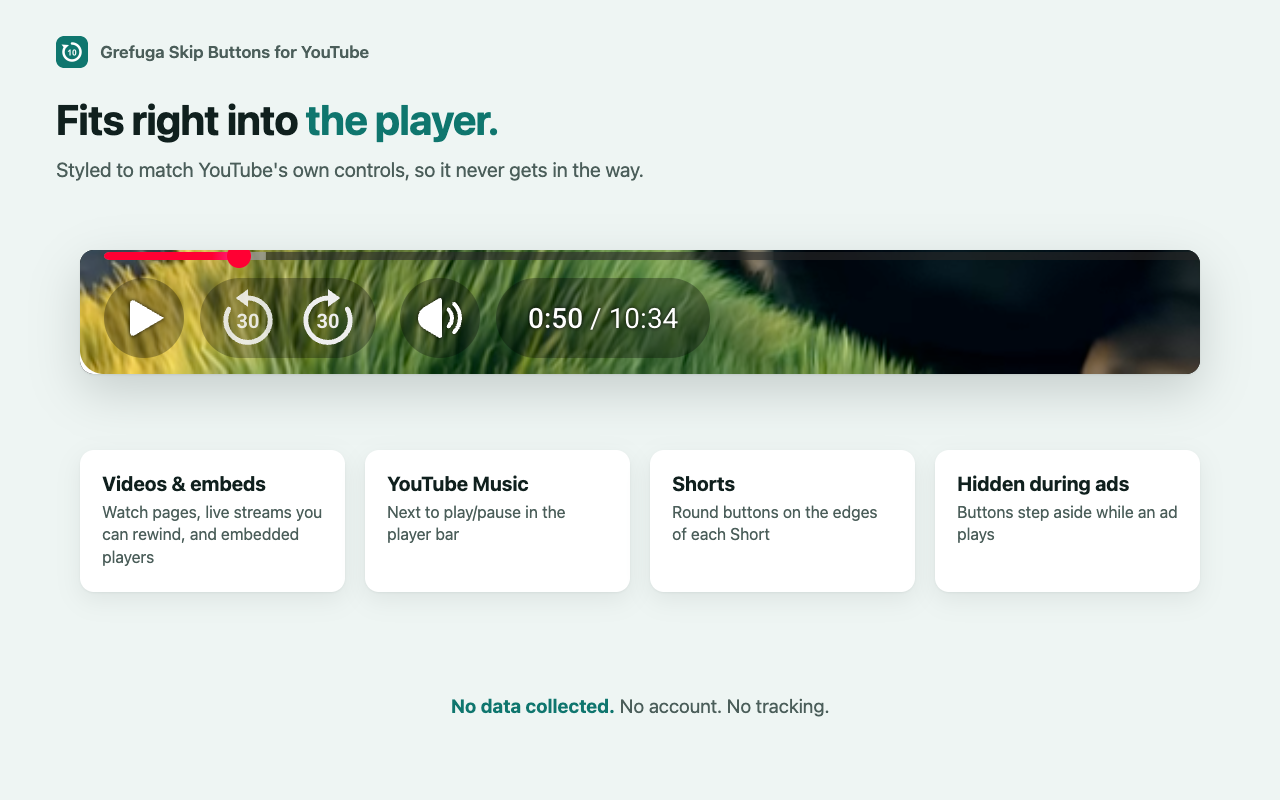
Grefuga Studios has a brand-new Chrome extension: Grefuga Skip Buttons for YouTube!
Ever missed a line of dialogue and had to drag the progress bar back and forth? Or wanted to hop past a slow part of a tutorial? We built Grefuga Skip Buttons for YouTube to make that one click. It's free, it's tiny, and it's available now on the Chrome Web Store.
What It Does
Skip buttons right in the player: back and forward buttons sit next to play/pause, styled to match YouTube's own controls.
Pick your jump: choose 5, 10, 15, 30, 45 or 60 seconds, or set any amount from 1 to 60.
See every skip: a quick on-screen flash (like "+30s") shows how far you jumped. Click again to keep going.
Works almost everywhere on YouTube: regular videos, live streams you can rewind, embedded videos on other sites, YouTube Music and Shorts.
Stays out of the way: the buttons step aside while ads play.
How to Use It
Add Grefuga Skip Buttons for YouTube to Chrome from the Chrome Web Store.
Open any YouTube video. The skip buttons appear next to play/pause.
Click the extension's icon in your toolbar to change how far each skip jumps.
Prefer the keyboard? Press Shift + ← or Shift + → to skip by your chosen amount. You can also set YouTube's own J and L keys to jump by the same amount.
Your Privacy Comes First
Grefuga Skip Buttons for YouTube collects no data. There's no account to make and no tracking, and we never see what you watch.
Your only settings are your skip amount and shortcut choices. Chrome saves them for you, and if you're signed in to Chrome, it carries them to your other computers too.
Give It a Try
Grefuga Skip Buttons for YouTube is free. Get it on the Chrome Web Store, and if you like it, a quick rating there helps other people find it.